

Playing a Wii console to a Roku TV is similar to when the Wii was brand-new and sparkling. You can now easily play Wii on Roku TV. The proprietary AV cable with the Wii can connect to other audio-visual devices at one end. The guide discusses various methods of how to play Wii on Roku TV.
You can play Wii on Roku TV using HDMI, AV Cable, SCART Connector, Component Cable, and S-Video Cable. There are many methods to connect the Wii to the Roku TV, regardless of the model.
You can attach the original Wii connector if your Roku TV has conventional AV component cable inputs. Nevertheless, there are choices available despite the Wii’s age, so let’s look at how to play Wii on Roku tv.
How To Play Wii On Roku Tv? | 5 Easy Ways
The Roku device allows you to stream TV episodes, movies, and music to your TV. You may access a variety of TV stations and streaming channels with the help of the streaming device, making Roku an affordable and convenient method to watch whatever you want, whenever you want.
Here are the methods to play Wii on Roku TV.
Using HDMI | To Play Wii On Roku Tv
A standard definition image is all that the Wii can output. Therefore, there needed to be more purposeful in making the console HDMI capable when HD TVs were yet to be commonplace.
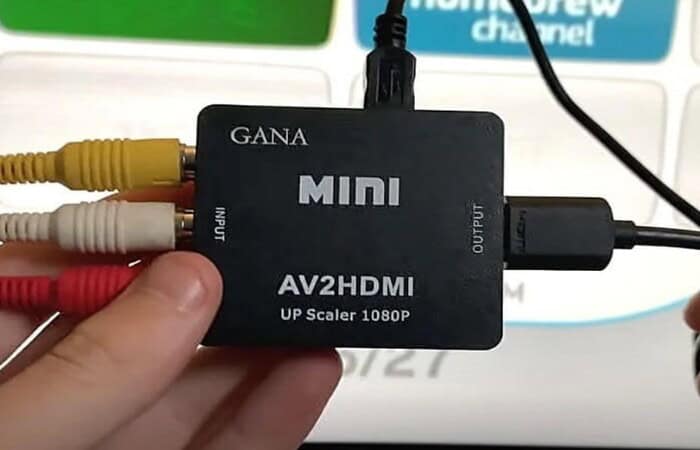
How to set up a Wii on a Roku TV? There are, thankfully, a few choices. You might choose to obtain an AV to HDMI converter, enabling you to connect your Roku TV with an HDMI cable after inserting your Wii cord.
Alternatively, you can buy a Wii-specific aftermarket HDMI converter that can attach an HDMI cable to the console. Here is how to use a Wii to HDMI converter to connect your Wii to a Roku TV:
- Obtain a Wii to HDMI converter.
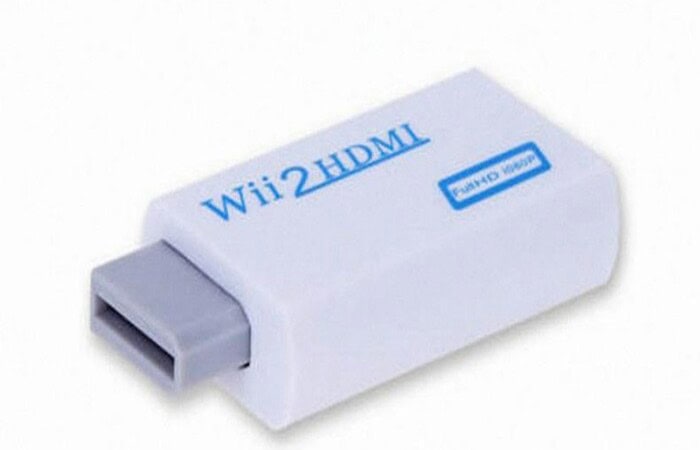
- Sync it with your Wii.
- Connect the HDMI cable to the other side.
- To the Roku TV, connect it.
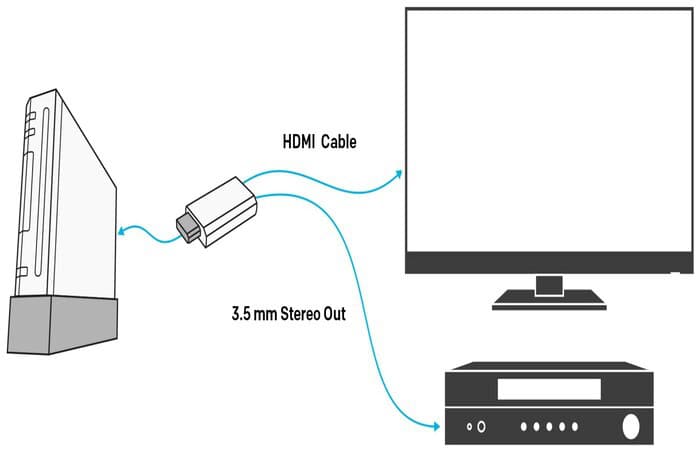
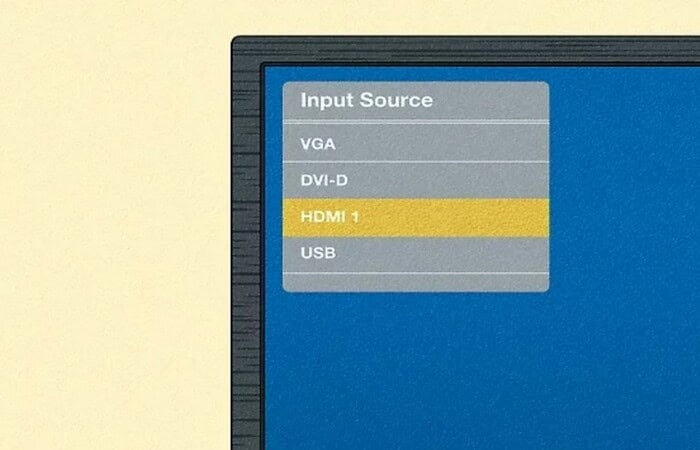
- Choosing Input/Source.
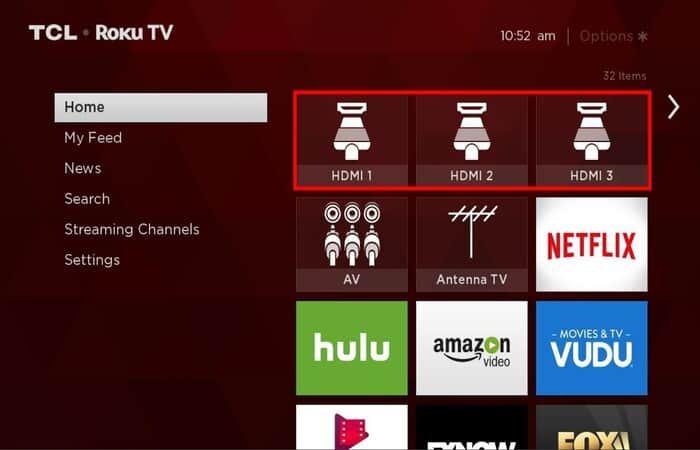
- Choose HDMI input to play Wii.
With an AV Cable| To Play Wii On Roku Tv
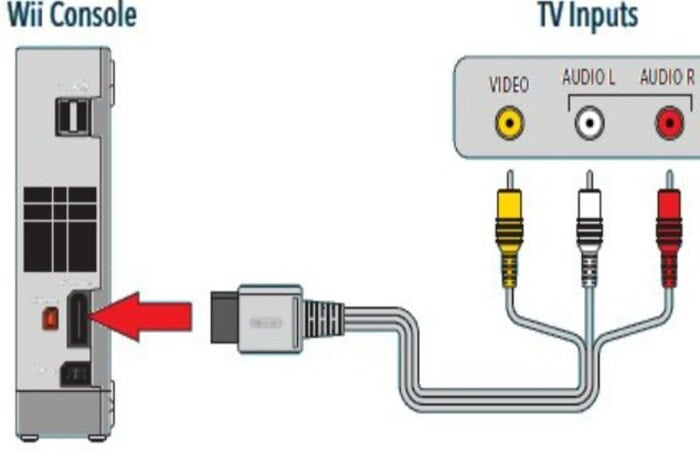
How to play Wii on Roku TV? If your Roku TV has connections for a standard component AV cable, you could connect your Wii directly to it, much as you would have done with Televisions when the Wii was at its greatest.
- Find the yellow, white, and red inputs on the Roku TV (AV inputs).
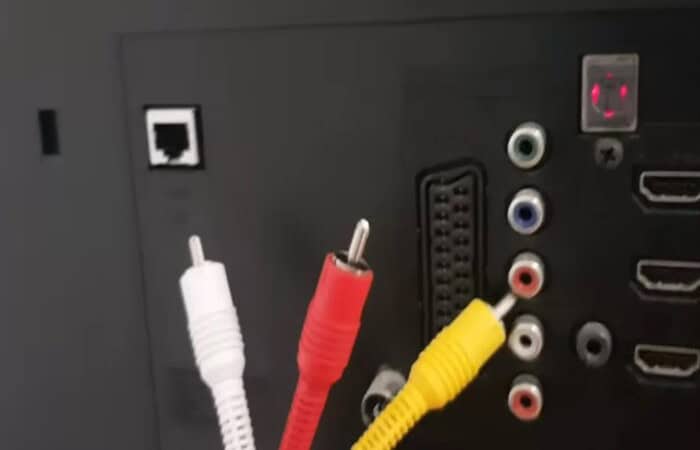
- Utilizing a complementary color scheme, connect the AV plugs.
- Connect the opposite end of the AV Cable to your Wii.
- Selecting the Input/Source.
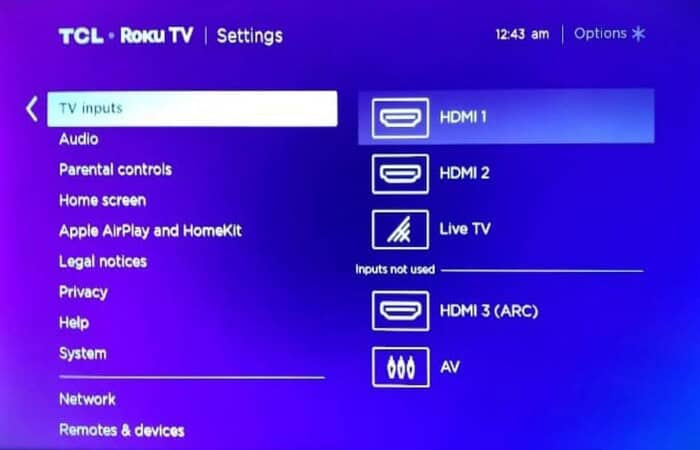
- Select AV to access your Wii roms.
See Also: The 8 Best 4-Player Wii Games
With a SCART Connector
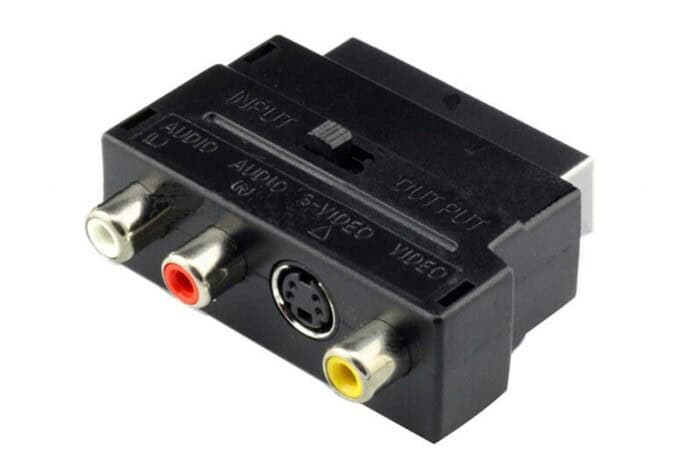
How to play Wii on Roku TV? An AV to SCART converter is required to connect through SCART. This approach is also very advised. Fortunately, these adaptors were rather common, making them relatively easy to locate.
The SCART plug makes up the body of the SCART adaptor in its most prevalent form factor, while the connectors for the component AV cable are on the back.
There are no other cords needed, and the adaptor is small.
- Obtain an AV to SCART converter.
- Set it up with your HDMI cable.
- From the opposite side, connect Roku to your component AV cable.
- Place the HDMI wire into the television.
- Choosing Input/Source.
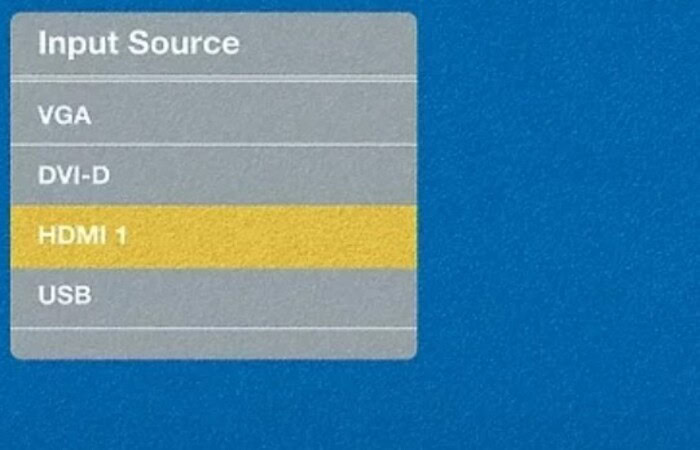
- To display your Wii, choose SCART.
See Also: How To Connect Wii To Projector | 4 Easy Ways
With a Component Cable| To Play Wii on Roku TV
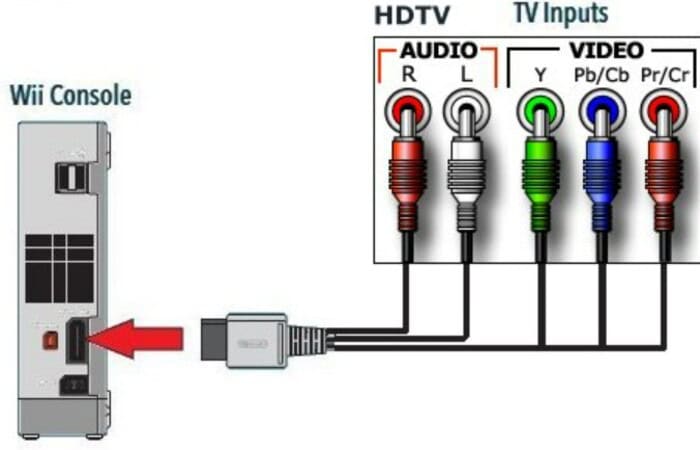
Component cable is another name for AV cable, and it refers to the process of dividing each signal—left audio, right audio, and video—into its channel.
Additionally, the Nintendo HD components connect Wii to Roku TV with three video connectors, and the same two audio channels are available for purchase.
Even though the Wii does not have HD resolution, this connection allows transmitting an HD signal, ensuring that the image will not look different.
- Connect each of the five AV plugs to a corresponding color.
- Connect the AV Cable’s other end to your Wii.
- Selecting the Input/Source.
- Select AV to access your Wii on Roku tv.
With S-Video Cable | To Play Wii on Roku TV
Again, the simplest way would be a genuine Nintendo Wii cable with an S-Video out. Still, it is also feasible to purchase breakout boxes that will accept the component AV cable that comes with your Wii and output through an S-Video port.
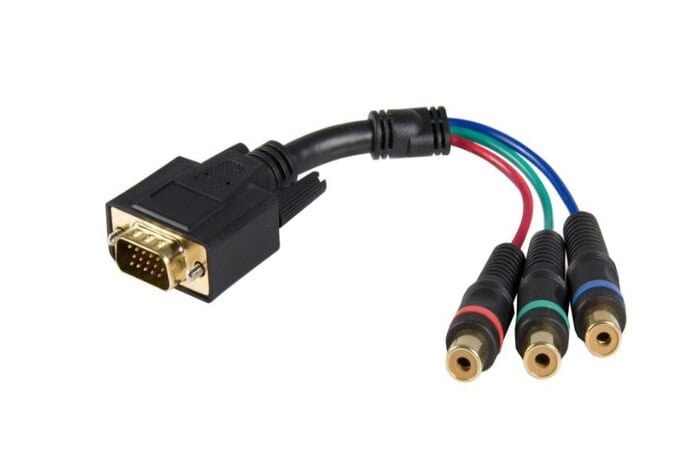
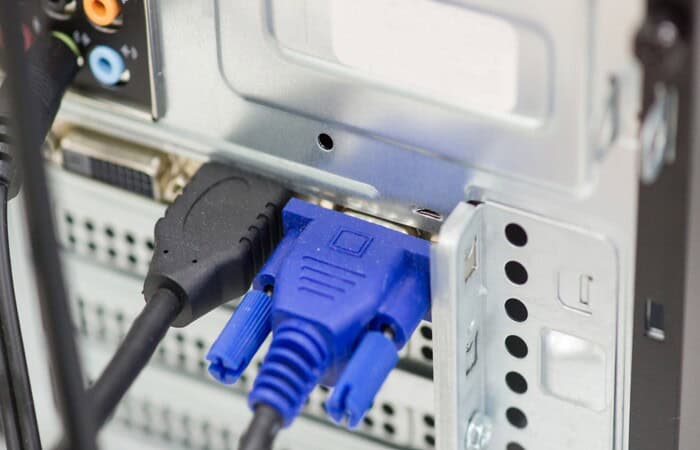
Use the VGA connector and an RCA to VGA Breakout Cable for connecting Wii to Roku TV to a monitor or if your Roku TV’s more traditional connections are all taken.
Fortunately, several adaptors are available on the market to convert from a part AV (also known as RCA) connection to a VGA one.
Remember that VGA does not transmit audio signals, so your breakout box must also connect to a TV audio input and the VGA connection.
- Connect the wire to the TV or monitor’s VGA input.
- Choosing Input/Source.
- To watch your Wii to Roku TV, choose VGA.
See Also: Can You Play Wii Games On The Switch [Answered]
FAQs
How do I make my Wii appear on my TV?
The AV Multi Out plug on the Wii AV Cable needs to insert into the AV Multi Out socket on the rear of the console. It would be best to locate the Input Select for your TV to view the game after the Wii console has been turned on and the cords have been connected.
Why is my TV unable to detect my Wii?
The TV might not be able to detect the wii because Wii component video cables or AV cables may work. If a Wii AV Cable or Wii Component Video Cable connects, the Wii U system may take up to a minute to detect this. Make sure the TV configures the correct inputs before switching wires.
How do I use the live TV guide on Roku?
Your Roku remote's plus-shaped directional pad is in the middle of the device. While watching a show, press Left on the cursor keys to display the Live TV Channel Guide. The show or movie you are now watching highlights the grid when the channel guide first loads.
What is the best way to connect my old Wii to my smart TV?
Just put one into your TV, attach it to your Nintendo Wii with an HDMI cord, and you're ready to go. Choose the TV remote using Input. The output is seen on the HDMI channel. With Wii to HDMI, you can quickly and effortlessly connect your Nintendo Wii to any smart TV with a dedicated Nintendo Wii HDMI port.
Does Roku support HDMI?
Any TV with an HDMI connector can connect to your Roku streaming device. An HDMI cable requires to connect a Roku player. However, a Roku Streaming Stick connects immediately using its built-in HDMI connector.
Do Wii to HDMI adapters work?
Many Wii console owners cannot use their consoles because they lack the appropriate adapters or because the cords are incompatible with their TV or monitor. No matter what, all modern monitors and TVs support HDMI connections. A Wii console can easily connect to any TV with an adapter.
Conclusion
It was all about how to play Wii on Roku TV. Your Roku TV can connect to the original Wii connector. Additionally, you might need to adjust your Wii’s settings to make it match the Roku TV to which it is attached. The different methods discussed in this guide are quick and easy to play Wii on Roku TV. You might also get Funimation on Roku TV too!

Meet Nick Pino, our Senior Editor of Home Entertainment at TechiePlus, covering TVs, headphones, speakers, video games, VR, and streaming devices.