

Since its introduction, Apple TV has gained popularity. You can share Apple TV Plus with your Family. Users still have questions about it because it’s new, including how to transfer Apple TV Plus with Family. The sharing of Apple TV Plus with Family is covered in the article.
- Settings > Users and Accounts > Switch Current User > Select a name > Sign in to that account.
- Open tvOS Control Centre> Select a different member name.
You can use your Apple account to share your TV with the Family. The simplest and quickest ways to share Apple TV with family members are available without a separate subscription or additional fees. Read below to learn how to transfer Apple TV Plus with your Family.
Contents
How to Set Up Apple TV Plus Sharing?
It’s a straightforward procedure. You must first set up Apple Family Linking before you may share Apple TV plus Family sharing with any family members. On an iPhone or iPad, you can locate the option in your settings, and on a Mac, you can get it from the Apple menu by selecting System Preferences > Family Sharing.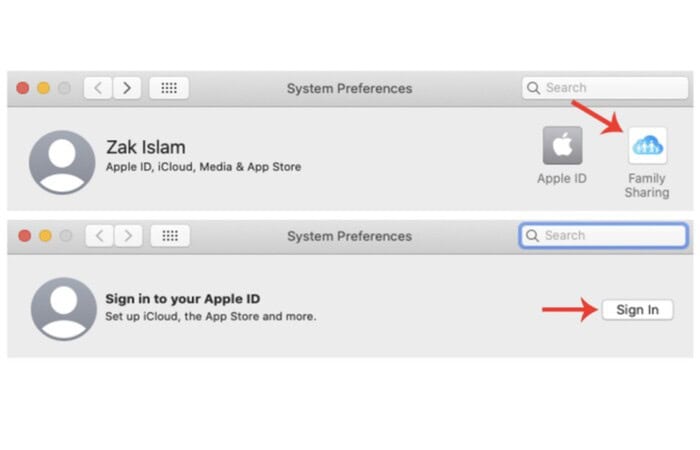
One person from home must incorporate and exclude family members when family sharing is set up. All charges made to your Apple account via Apple TV+ or other associated apps in the Apple ecosystem are also the responsibility of this person.
If you have yet to, you must enter your credit card information here; if you have, you must verify it. Additionally, you must include family members in your sharing group. You must consent to be held liable for any purchases made by shared family members in either setup manner.
Once Family Sharing configures, you may start sharing various Apple services, like Apple TV+, with members of your Family Group. During the initial setup, you had to decide on at least one program to access with family members. There is nothing else you need to do if you only have Apple TV or choose Apple TV as the sharing Apple TV plus option. Your Apple TV+ channel should be available to your family members by default.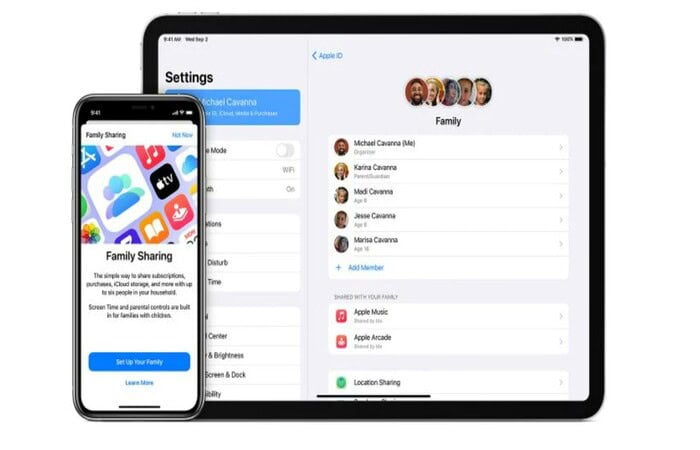
The following procedures apply to sharing Apple TV+ even if you choose a different service.
On an Apple device, Family Sharing must be configured (iPhone, iPad, or Mac computer). It cannot configure from an Apple TV, a Windows device, a laptop, or any other non-Apple device that supports Apple TV+.
See Also: How To Cancel Spotify Premium On IPhone? | Cancel Under 5 Minutes
On iOS Device
If you have an iPhone or iPad accessible, you can activate Apple TV+ sharing from that device once you’ve signed up for Apple Family Sharing.
- Your Apple ID Settings are in the Settings app on your iOS device. > Choose Family Sharing in your Apple ID settings.
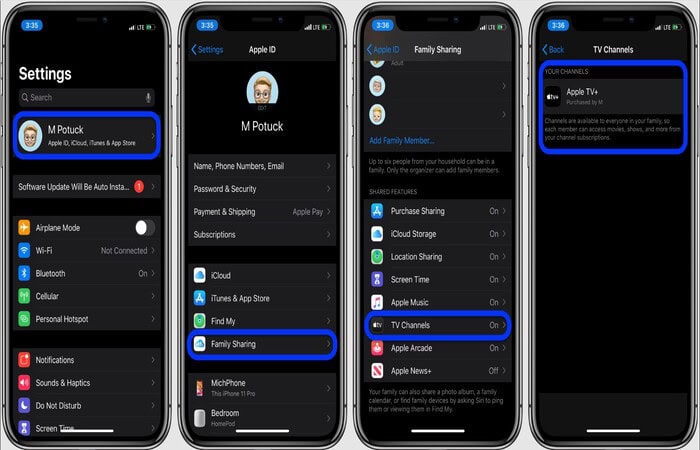
If the individual you wish to share Apple TV+ with isn’t already a member of your Family Group, you can tap Add a Family Member in Family Sharing.
As long as spaces are available to share with them, you can add a new family member to your Family sharing on the Apple TV group. Remember that you can only add up to five more family members (six total, but you count as one).
Once you are confident that the family members you want to share with are the ones you want to share with, turn on or off the toggle next to TV Channels. Tap the On toggle next to Television Channels to exchange the TV Channels with your Family Group
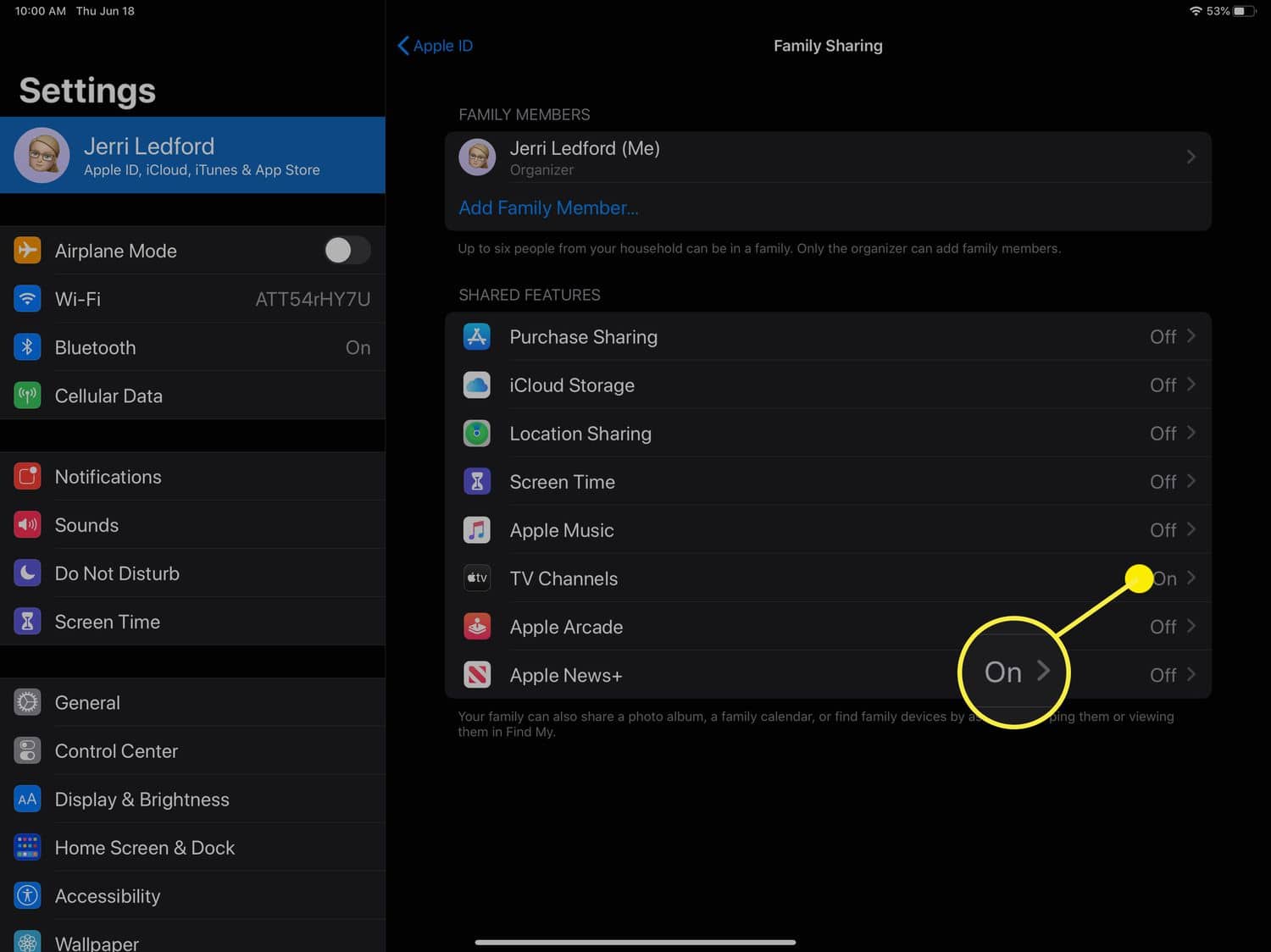 You must share every channel you subscribe to with every family member if you wish to share Apple TV+ with your Family Group.
See Also: How To Find The Wifi Password On Mac [Complete Guide]
On Mac
How to share Apple TV Plus with your Family? If you have a macOS computer nearby or are using it to set up Family Sharing, you may also share Apple TV+ from there.
- Open System Preferences on your macOS device.
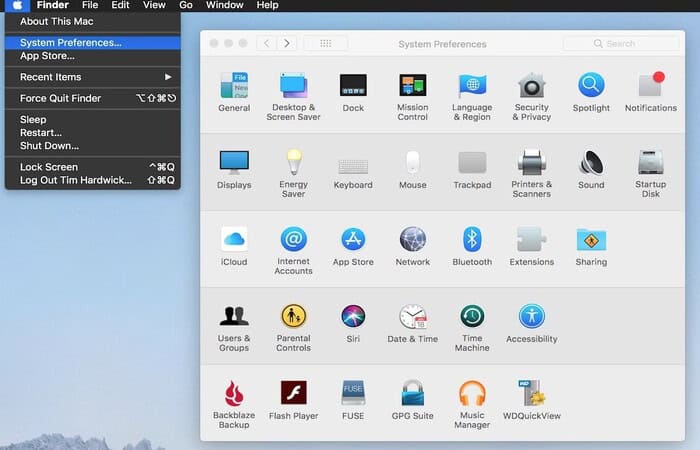
- Pick Family Sharing in the System Preferences dialogue box.
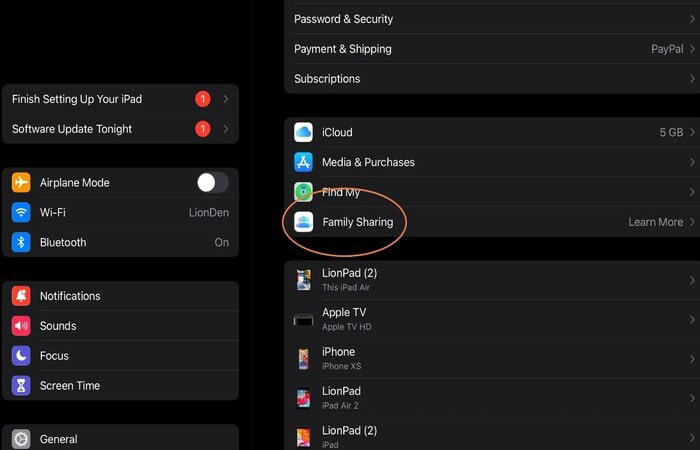
- Pick a few TV channels.
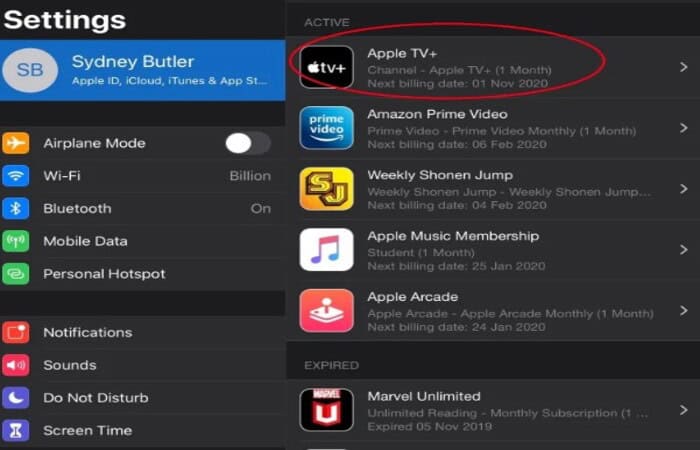
- Make sure Apple TV+ is included in your list of channels by checking.
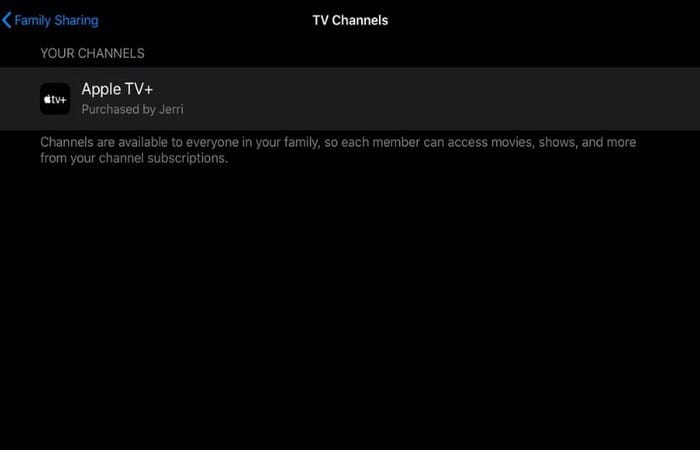
If so, it has been shared. Double-check that you have Apple TV+ and family sharing enabled.
Tap TV Channels to enter the Television Channels page and view all your subscriptions if you can’t recall which TV Channels you’re a member of. After sharing your TV channels, you can exit settings and share Apple TV with your Family. Will have access to Apple TV+ and other media.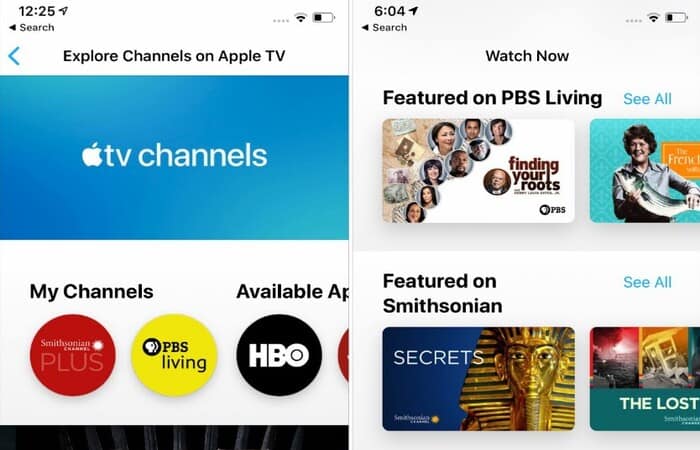
Not all content in a Common Family Group is shareable. While sharing Apple TV+ and other channels is possible, sharing apps and other stuff on your account might be challenging.
See Also: How To Watch Local Channels On Firestick TV | Methods & Applications
FAQs
Up to six family members may watch content together through Family Sharing. Family members are invited to join the group by one adult in your home, who also agrees to foot the bill for any purchases the group makes.
How can I include a new user in my Apple subscription?
Then, adhere to the on-screen directions after tapping Invite Others. AirDrop, Messages, or Mail can deliver the invitation. If the family member is nearby, you can also hit Invite in Person and request that they sign in with their Apple ID and password on your phone.
Can I transfer my free Apple TV+ to another person?
You can share Apple TV plus services like Apple Music, Apple Arcade, Apple News+, and more with up to five family members and watch Apple Original TV series and movies on Apple TV+. Members will see their personal preferences and recommendations when you share subscriptions, not the Family.
Why can't my family use Apple TV together?
Examine the Family Sharing settings. Ensure that the Apple ID you use for Media & Purchases and Family Sharing is the same. Additionally, confirm that purchase sharing is enabled. Next, request that your family members review their settings as well.
Can you use Apple TV+ on numerous devices?
Any device with your Apple ID logged in and using the Apple TV app can access your subscription. Your Family can watch material from a channel on up to 3 devices simultaneously if you're a member of a Family Sharing group.
Conclusion
It was all about how to share Apple TV Plus with Family. You can easily share Apple TV Plus. You can share your single Apple TV+ in this manner with your family and friends. It guarantees you and your family receive all the free entertainment Apple offers. You can access Apple TV on any device with the Apple TV app installed using your ID. As a result, you may stream media from your Mac, iPad, or iPhone.

Introducing TechiePlus’s all-in-one Editor, Olivia, based in London. From headphones to music streaming, she’s got you covered.