

Embedded videos are known to increase traffic on your page, and if you are looking for the same, this is probably worthwhile. However, you must know the benefits of using embedded videos in your content. That’s why this article has piqued your interest.
When you download them, you cannot only use them but you can also watch them uninterrupted. So if you are looking for simple ways to download embedded video Chrome quickly, you are on the right page!
This article will depict some common and easy ways to download and use these embedded videos.
Contents
Embedded Videos on Chrome
To download the embedded video on Chrome:
- Right-click the video or press F12 and click Save Video As.
- Save the video in the selected folder on your computer.
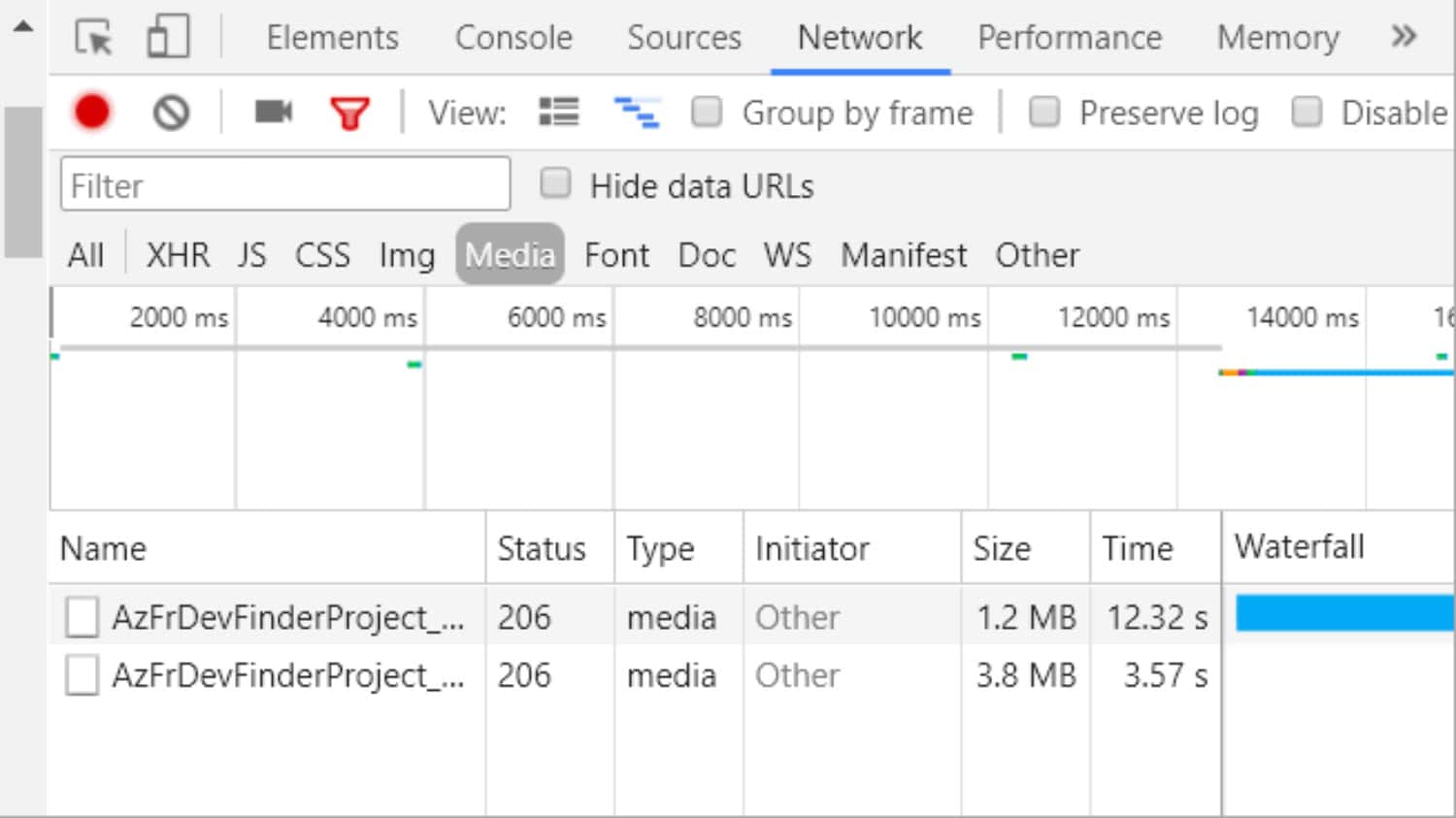
- Go to Inspect option inside and click on the Network Tab, where many other options will be visible.
- Click on Media and play the video once again by pressing F5.
But first things first! What is an embedded video? We need to know first that these videos differ from those posted on various video-streaming websites, and sometimes it may become very arduous to download and use them.
This video category is self-hosted and built into the web page, including Flash video, HTML5 video, etc. The embedding features allow users to host these videos, such as blogs or articles, at another location. Now let’s dive straight into the ways of downloading these videos.
Wanted to know the answer to “How Do I Know If My Version Of Chrome Is Up To Date? Learn more about video-sharing apps here if you love sharing videos with friends.
See Also: 6 Best Screencasting Software for Recording & Editing Videos
How To Download Embedded Video Chrome: Easy Steps
You can follow these steps to learn how to download embedded video Chrome.
Directly From The Sites
This is the alternative if you want an easy download of these videos. There are many embedded videos online that you can directly download from the websites. Such as Video Downloader :
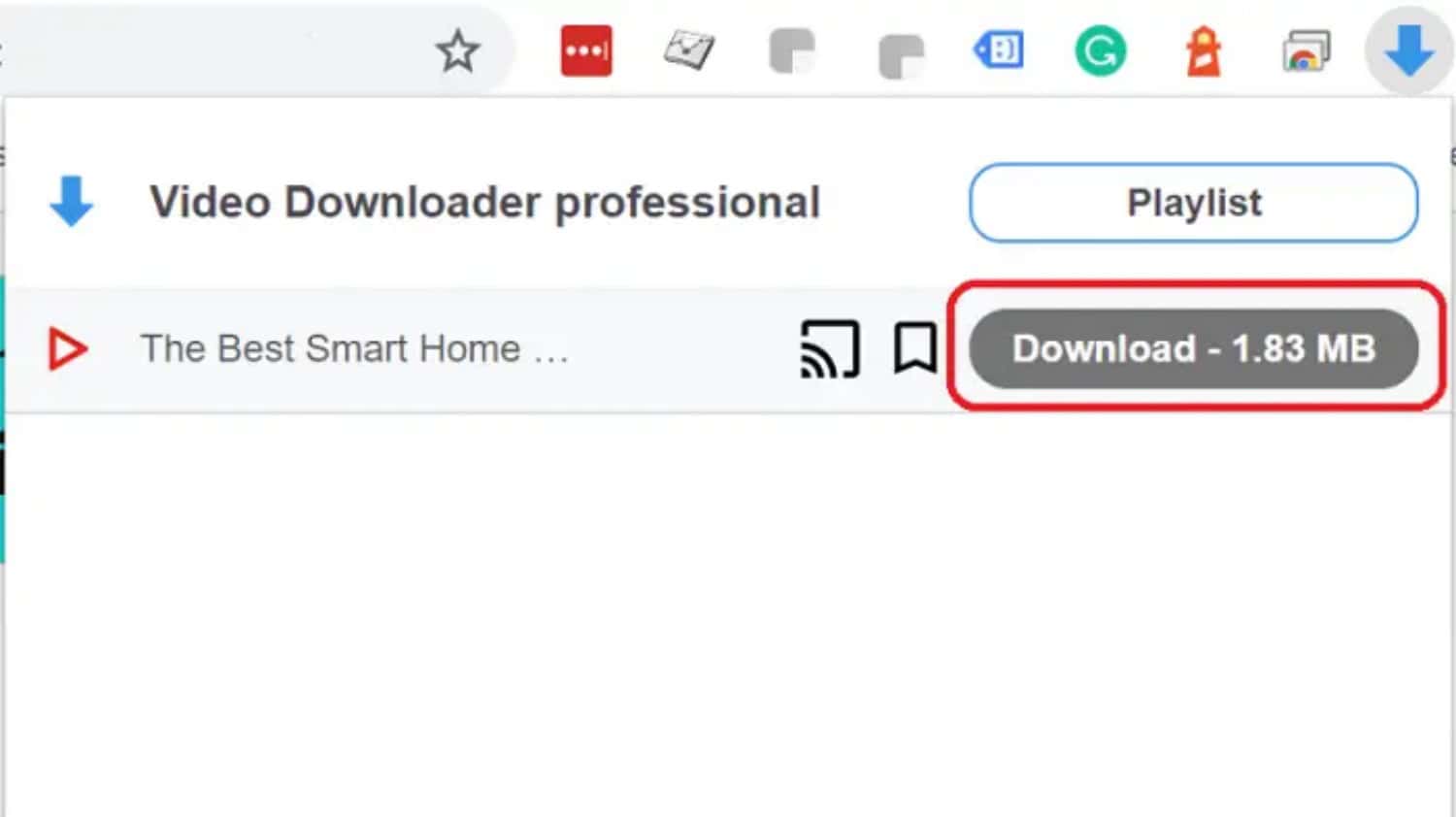
Copy and paste the video link and save it to your Computer. The Download will start automatically as shown in the image.
No harder than saving an image, right?
Using Free Video Downloader
There are so many free video downloaders you can not work out for yourself if the first option is not working out. You can easily find the best of them online, and using them is a cakewalk. You cannot only use them to download videos from video hosting websites, but you can also easily download embedded videos using them. Applications like 4K Video Downloader help download the video with a simple installation.

Copy and Paste the link in a given field and select your resolution and file download location.
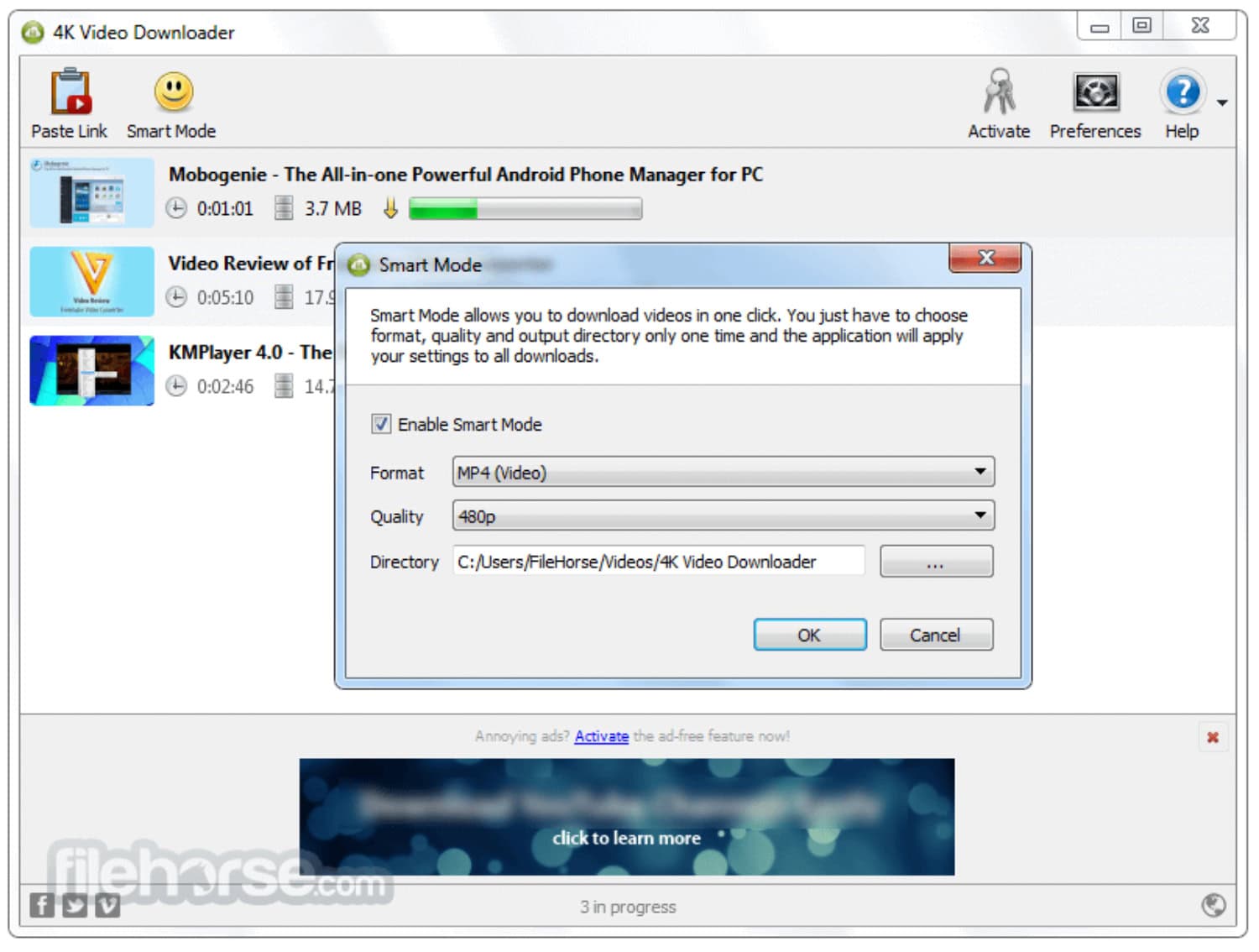
That’s it! Your free downloading video is ready in your system. They are free and easy to use. Once you start using them, there is no coming back; trust us!! If you want to know more about free video downloaders, click here.
Using Chrome/ Firefox browser
Using your browser is another easy way to learn how to download embedded videos on Chrome or Firefox. The steps you need to follow are given below:
- Open the browser and play the video of your choice. Click the right button on the blank canvas on the screen or press the F12 key; you can go to ‘Inspect Element’ or ‘Inspect’ as per your browser choice.
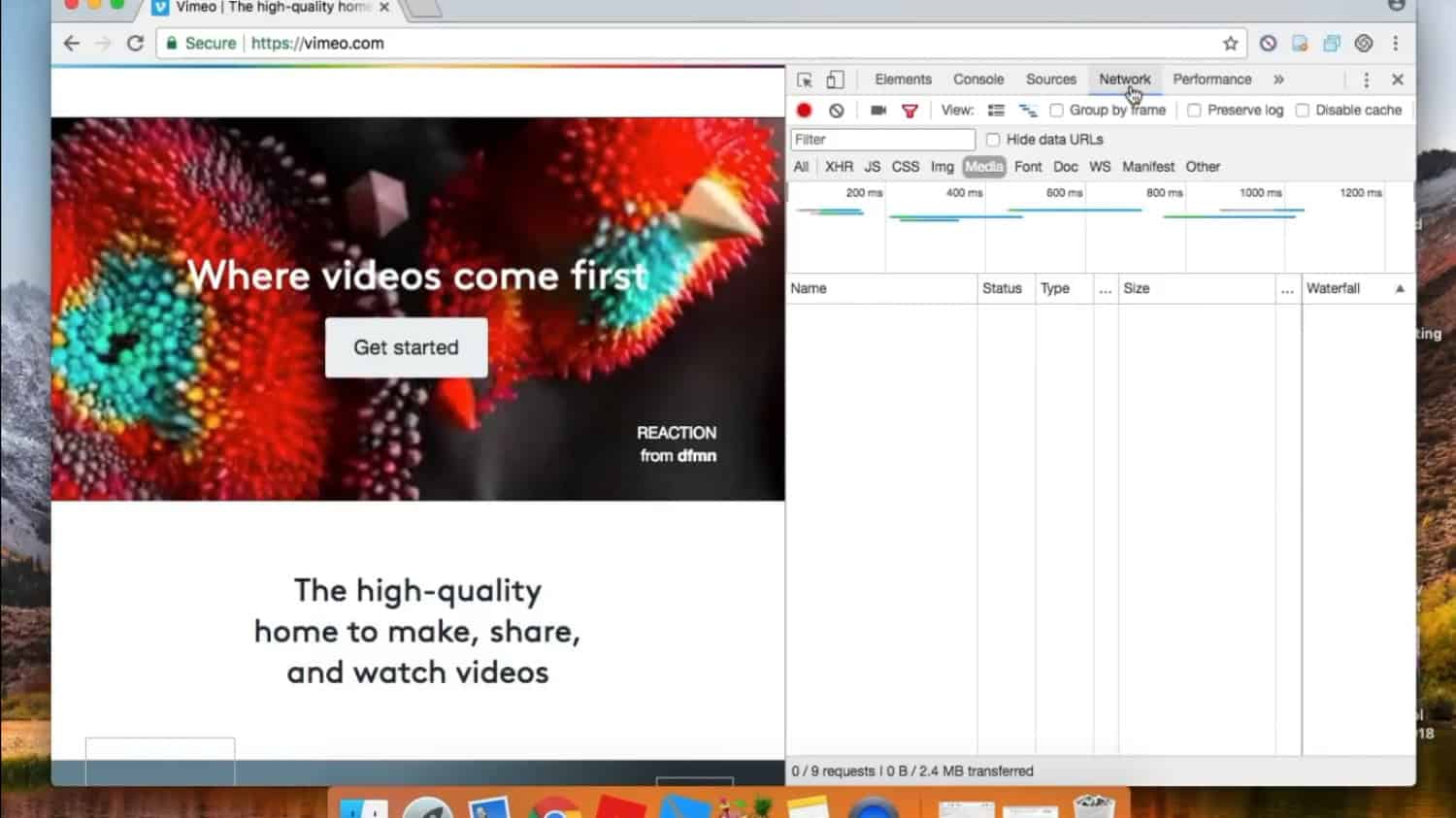
- Get the video through the Elements section itself from the presented bar.
Now, your video is ready to be downloaded. First, you need to click on the ‘Download’ button, and if you cannot locate it, click the right button and go for ‘Save Video As,’ and here you go.
Downloading An Embedded Video Via Browser Extensions
We bring forth another hassle-free method of downloading an embedded video. Browser Extensions are impeccable options for downloading videos from platforms like YouTube, Vimeo, etc.
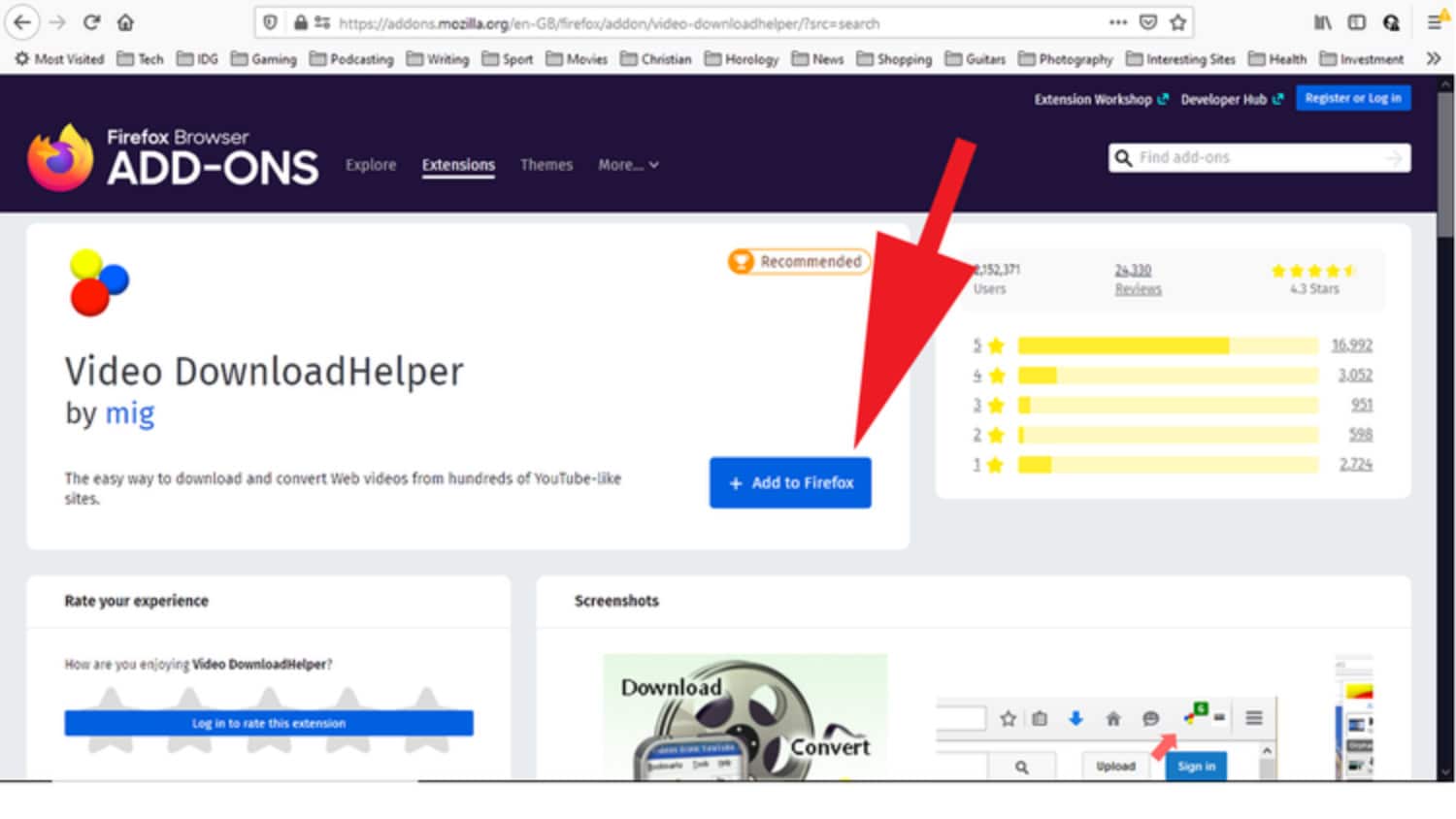
Many extensions are available for both Chrome and Firefox that allow you to download an embedded video. All you have to do is play the video in the browser after adding the extension and then avail yourself of the facility of Quick Download.
Downloading An Embedded Video Using Free Online Services
The internet is an ocean full of free assets for the most part, and they are easy to use and take relatively little time to figure out.
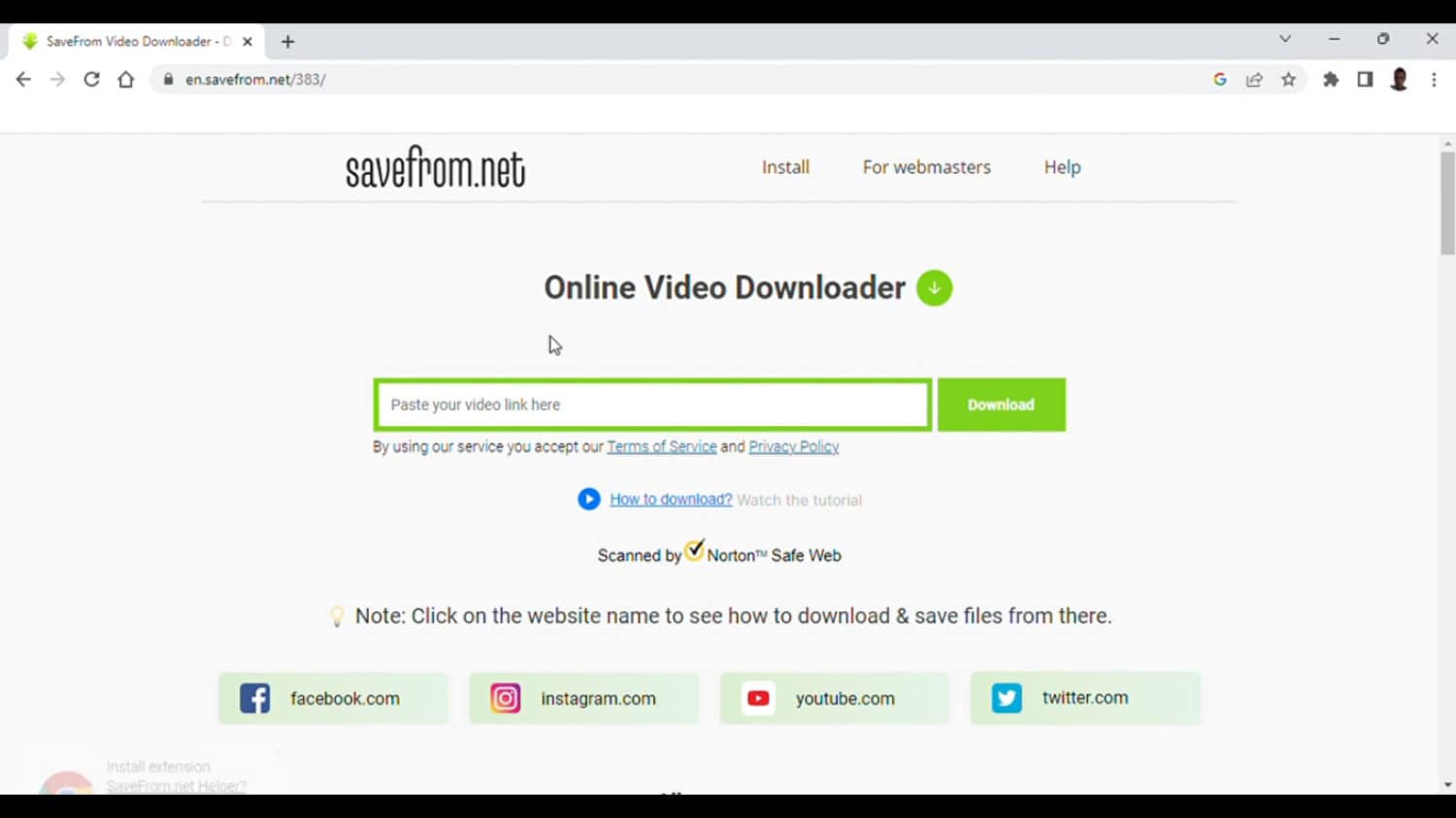
- One must copy and paste the video URL in the given URL section and click on the ‘Download’ option.

- You can also select the desired video resolution, and voila! The video will be saved to your device in a few seconds.
Downloading An Embedded Video Using Browser Developer Tools
Browser Developer Tools are highly effective and reliable when downloading embedded videos. Chrome Developer Tool and Firefox Page Info Tool are the best examples. All it entails is right-clicking on the website page with the embedded video.
- If you are working with a Chrome Developer Tool, choose the Inspect option or press Control+Shift+I.

- You can continue by hitting the Network tab and clicking on the Media Tab. You might be able to view the video on the page now.
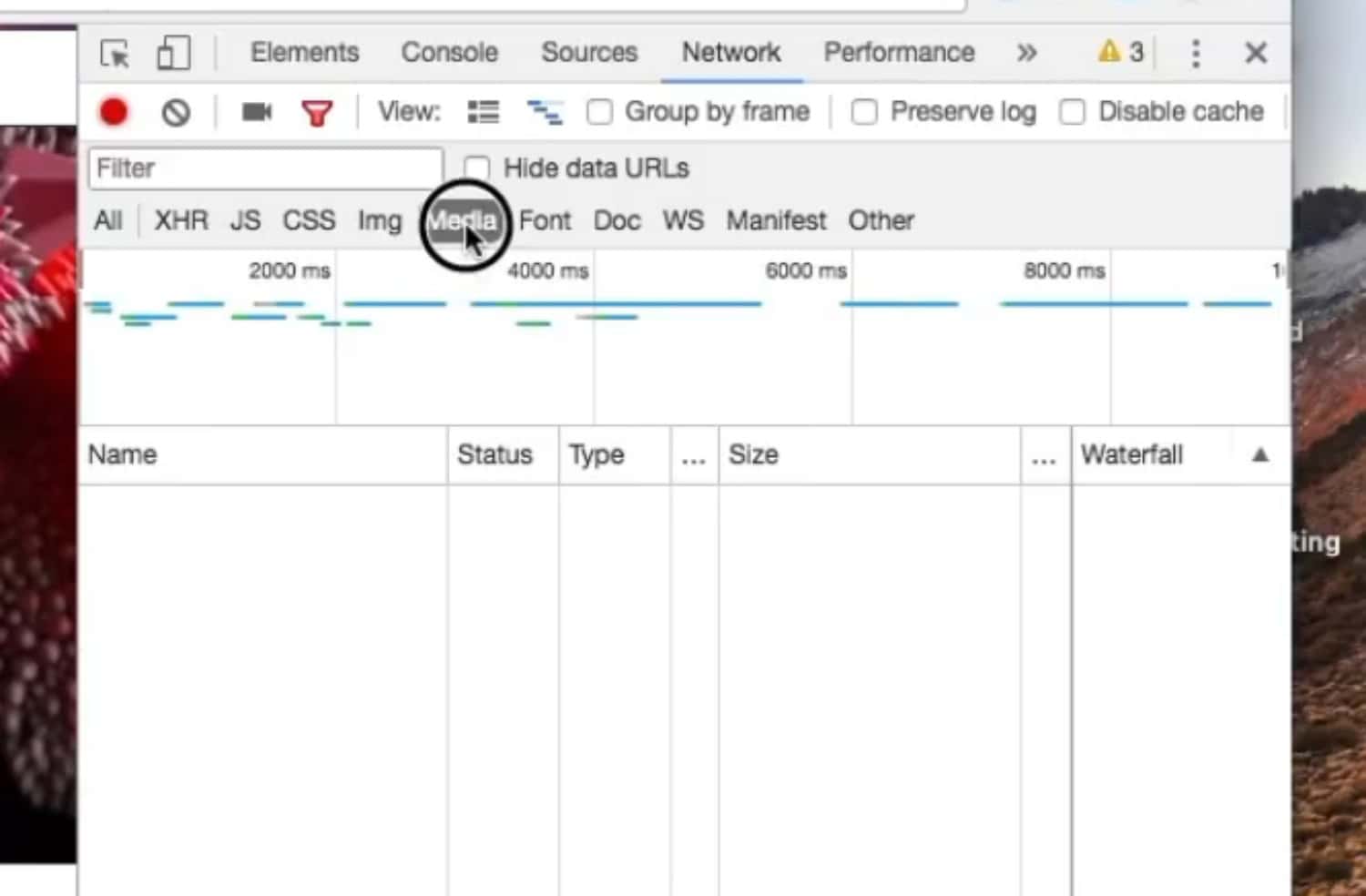
- Find a media file with an MP4 extension and right-click on it. Press the Copy option and copy the link address.
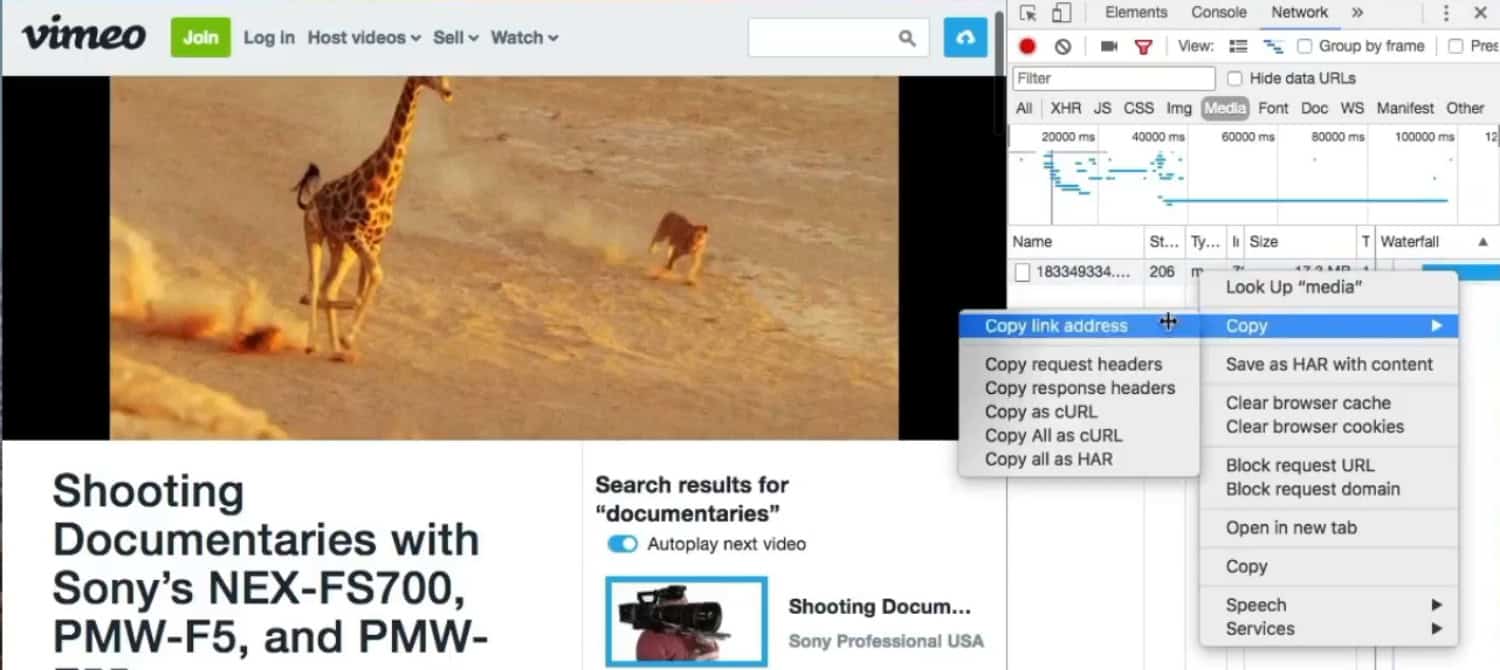
- Then, open a new tab and paste the link address there. Now, you must right-click the video and choose the Save Video option.
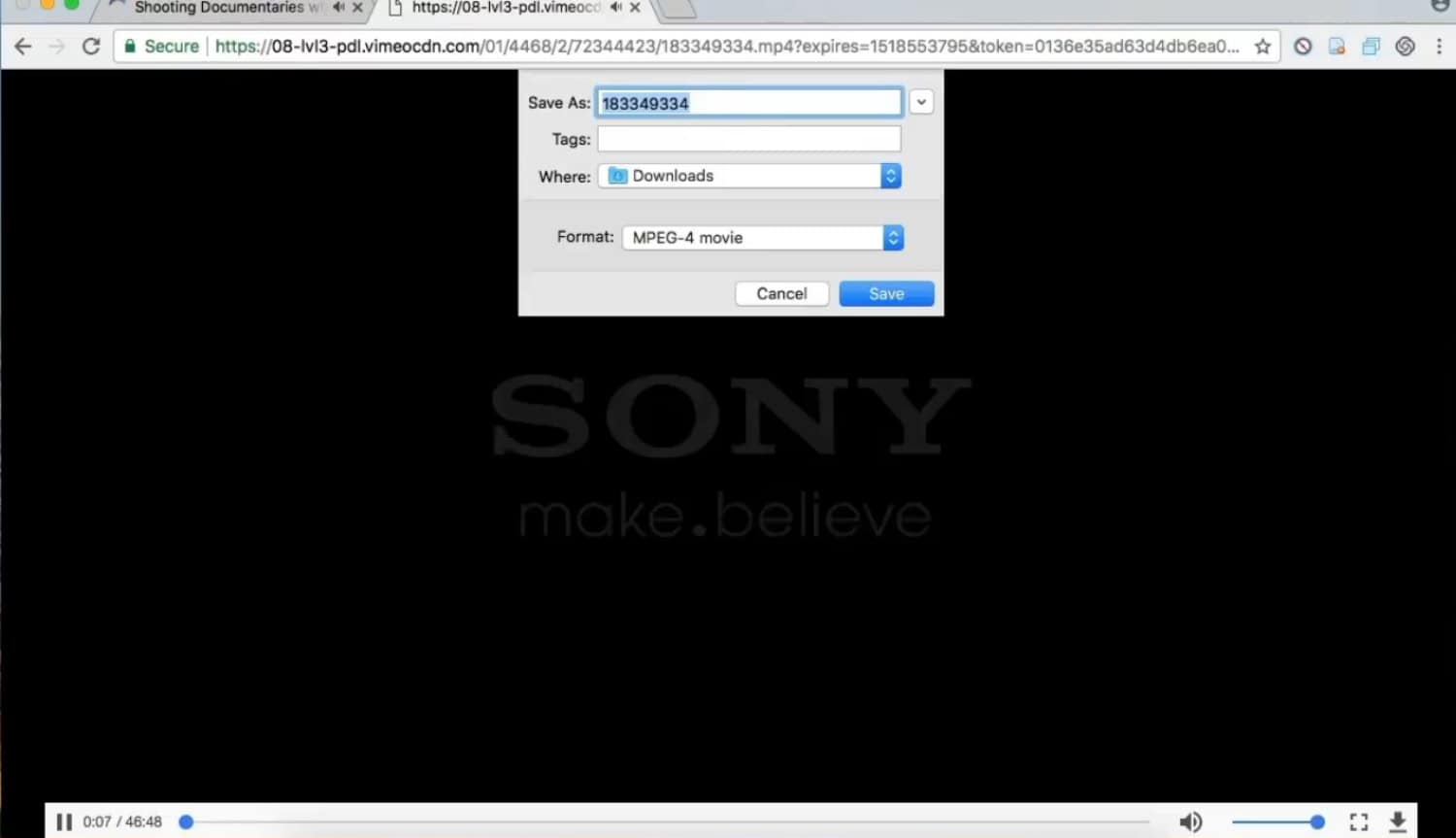
Select where you’d like to save your file and enjoy!
If using Firefox Page Info Tool, you must seek the View Page Info option after right-clicking on the web page.
- In the Media tab, you will find the address of the video file type.
- Use the copy-and-paste options and open the link in a newly launched tab. Then, right-click on the player to get your video saved. Your video will start downloading.

Once downloaded, you can view it offline on your device!
FAQs
How do I download an embedded video on Android?
For downloading an embedded video, a URL is a must. Browse into Dex2jar or ApkTool for the desired URL to find the correct URL and download the embedded video immediately.
What is the best extension to download embedded videos?
The best extension to download embedded videos is Video DownloadHelper. This app can download any video streaming, flash, or dash videos. It can convert videos to formats like AVU, WMV, and MP3. It is user-friendly and available on both Chrome and Firefox browsers.
How do I download an embedded video from Chrome to my Mac?
Open your Chrome browser and download Video Download PLUS to download an embedded video from Chrome to Mac. Stream the embedded video on the screen, then click on the Download button, and choose the one with the correct Download button among different options.
How to download videos from any website in Google Chrome Android?
To download videos from any website in Chrome or Android, open up the website from where you want to download the video on your Chrome browser. Tap on the link and hold until the option pops up to download the file. Tap on the Download link, video, audio, or Download image.
Conclusion
This was our list on ‘how to download embedded video Chrome’ and other browsers. You can adopt any options that fit your condition from the list above. These five common ways to download and remove any hiccups with embedded videos will be handy, so mark this page and stay tuned for more informative articles to save your day!!
See also: Remove Fuq.com Virus From Windows / Mac / Safari

Sourabh Kulesh, Chief Sub Editor at Gadgets 360. and TechiePlus, writes technology news online with expertise on cybersecurity and consumer technology.