

Amazon Music is a site that gives users access to a sizable collection of tracks and albums. Although how to cancel an Amazon music subscription might seem like a difficult job, it is a reasonably straightforward procedure you can carry out in several ways.
Although the service offers an outstanding hearing experience, some users might discover that their requirements have changed. However, it’s crucial to comprehend how to terminate your Amazon Music Unlimited membership using various methods, including iOS devices, desktop computers, and mobile browsers, as well as any possible difficulties you might encounter.
Continue reading to find out the various options accessible to you for how to cancel an Amazon music subscription and how to resolve any typical problems that might come up.
See Also: The Top 6 Chinese Music Apps In 2024
Contents
- 1 How To Cancel An Amazon Music Subscription?
- 2 Bonus: Maintain Playback Of Amazon Music After Subscription
- 3 Troubleshooting Common Issues
- 4 FAQs
- 4.1 How to cancel an Amazon music subscription?
- 4.2 What Takes Place If You Terminate Your Subscription?
- 4.3 Why do I pay when I already have Prime for Amazon Music?
- 4.4 What's the password for my Amazon Music account?
- 4.5 Why would a subscriber wish to discontinue getting their subscription?
- 4.6 Can I, at any point, stop receiving Amazon Music?
- 4.7 Is purchasing Amazon Music Unlimited worthwhile?
- 4.8 How do I end my membership to Amazon Music?
- 5 Conclusion
How To Cancel An Amazon Music Subscription?
Although how to cancel an Amazon music subscription might seem like a difficult job, it is a fairly straightforward procedure that can be carried out in several ways. Let’s examine how to discontinue Amazon Music Unlimited and address any typical problems you might experience.
How To Cancel Amazon Music On iOS Devices
Follow the steps to cancel Amazon music unlimited.
- Open the iOS device’s Amazon Music. The “My Music” symbol by tapping it.
- Select the “Settings” tool icon at the edge of the display.
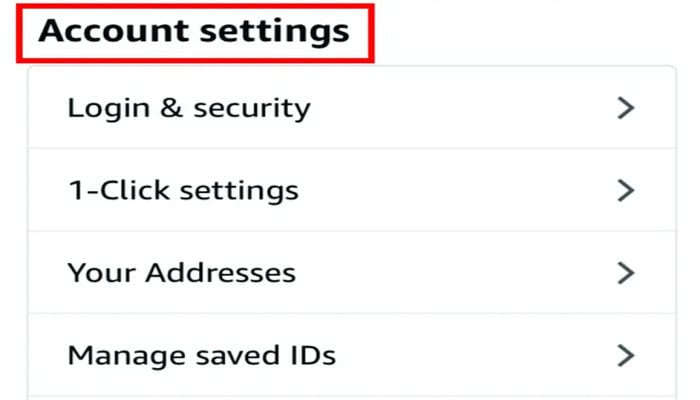
- Press “Amazon Music Unlimited” once.
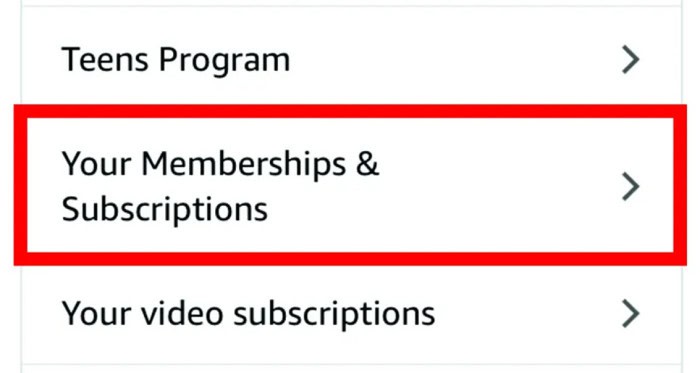
- To terminate your subscription, click “Cancel Subscription” and follow the instructions on-screen to play music without wifi.
See Also: 11 Electronic Stores Like Best Buy For Tech Lovers
How To Cancel Amazon Music From PC iTunes
How to cancel Amazon music? Follow these steps.
- On your PC, launch iTunes. Select “Account” from the upper navigation column.
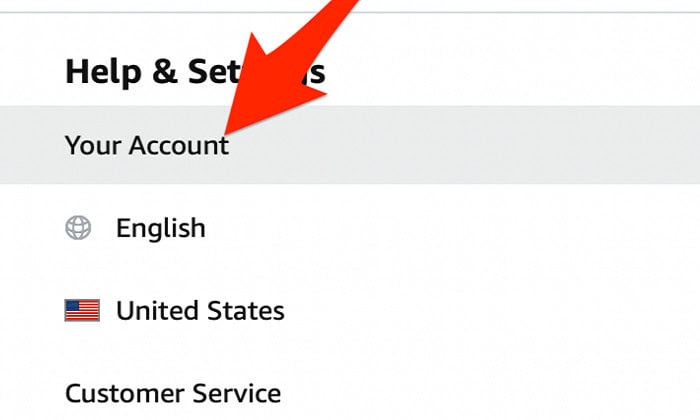
- Make your selection from the selection menu, “View My Account.”
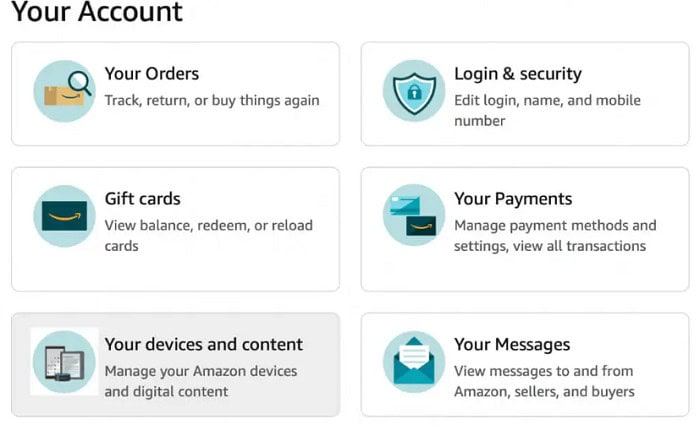
- Move down to the “Settings” area and select “Manage” beside “Subscriptions.”
- Click “Edit” next to “Amazon Music Unlimited” after finding it.
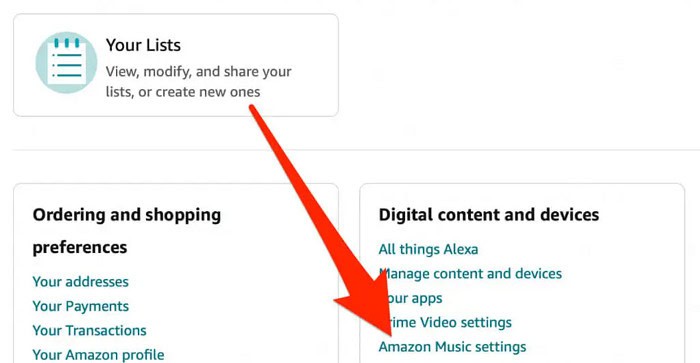
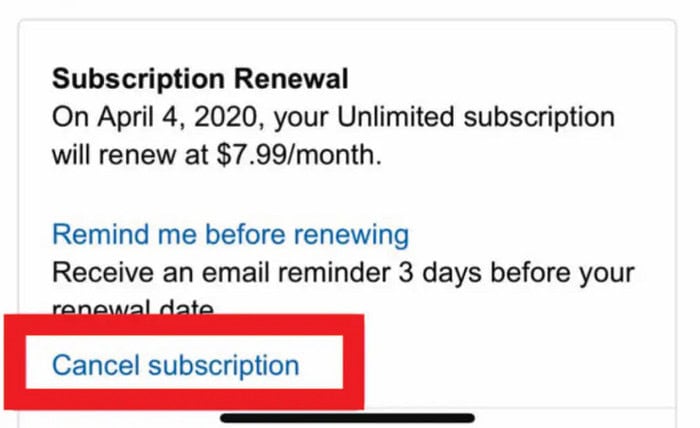
- To terminate your subscription, click “Cancel Subscription” and follow the instructions on-screen.
Cancel Amazon Music Unlimited Using Apple App Store
How to cancel an amazon music subscription? Follow these steps.
- Your iOS device’s “Settings” program should be open.
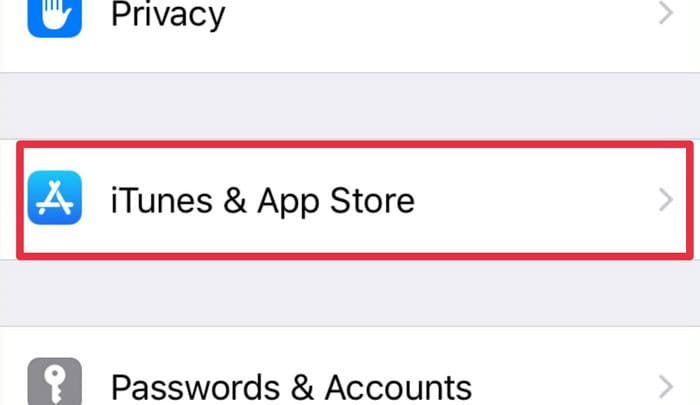
- Select “iTunes & App Store” after choosing your name.
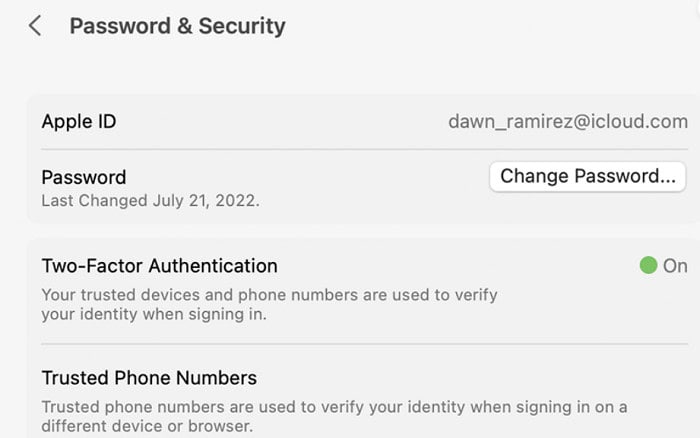
- Upon clicking on your Apple ID, choose “See Apple ID.”
- Choose “Manage” from the “Subscriptions” area by scrolling down. Choose “Cancel Subscription” after finding “Amazon Music Unlimited.”
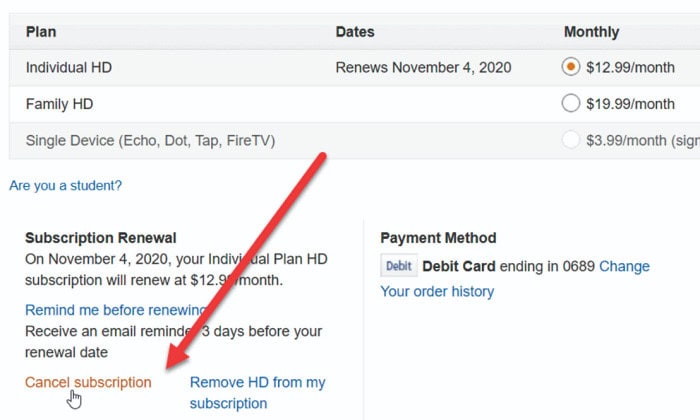
To finish the cancellation procedure, adhere to the instructions.
Terminate Your Android Subscription
Follow these steps.
- On your Android smartphone, launch the Amazon Music app.
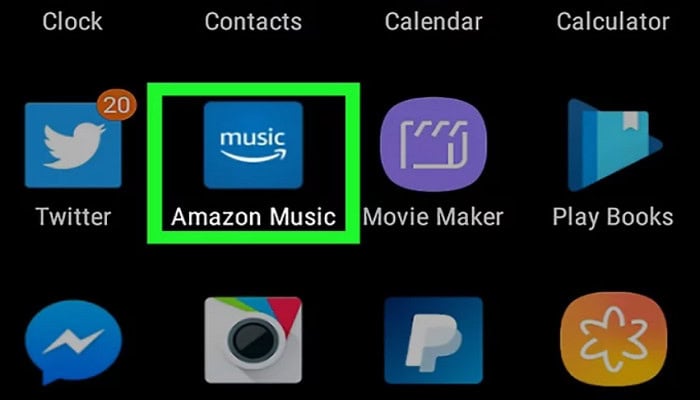
- The “My Music” symbol by tapping it. In the top-right portion of the screen, click the “Settings” tool symbol.
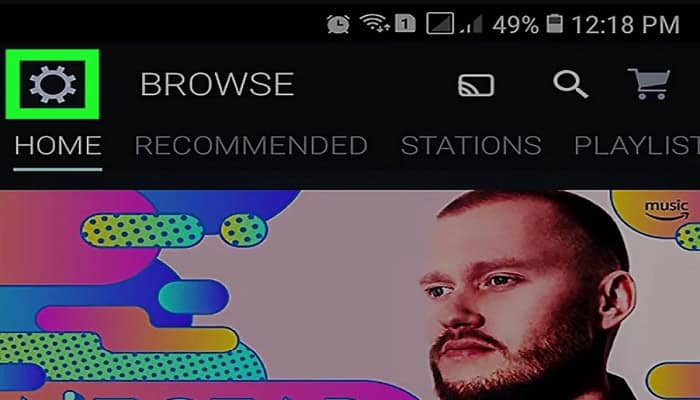
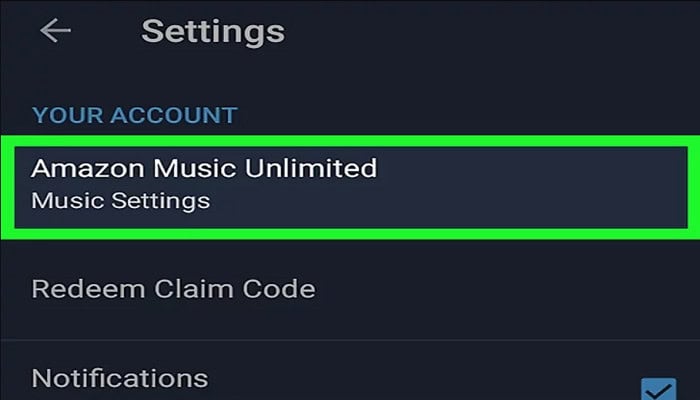
- Press “Amazon Music Unlimited” once.
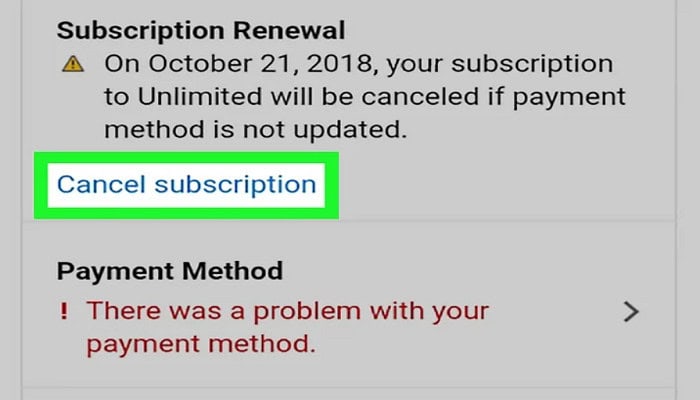
- To terminate your subscription, click “Cancel Subscription” and follow the instructions on-screen.
Using A Laptop Or Smartphone Browser
Follow the steps to cancel Amazon music.
- Connect to your Amazon membership by opening the internet browser on your personal device or cellphone.
- Go to the page’s top right and click “Account & Lists.”

- Under “Your Account,” click “Your Music Subscriptions.”
- Click “Actions” after finding “Amazon Music Unlimited.”
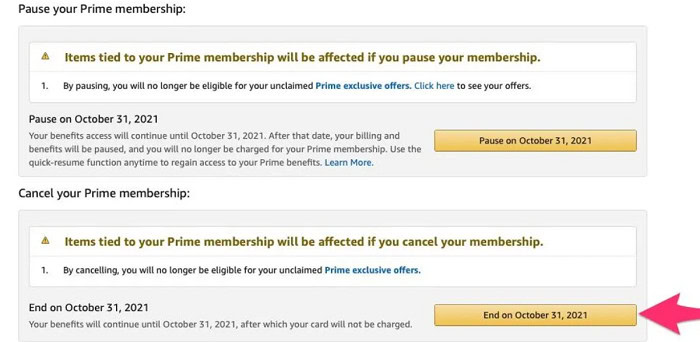
- To terminate your subscription, click “Cancel Subscription” and follow the instructions on-screen.
See Also: Best Loud Music Players For Android [2024] – Top 4
Bonus: Maintain Playback Of Amazon Music After Subscription
You will no longer have access to the enormous music collection if you follow through how do I cancel Amazon music“. You can still listen to any tracks or albums you bought during your membership time. Follow these procedures to do so:
- Launch the Amazon Music website or app.
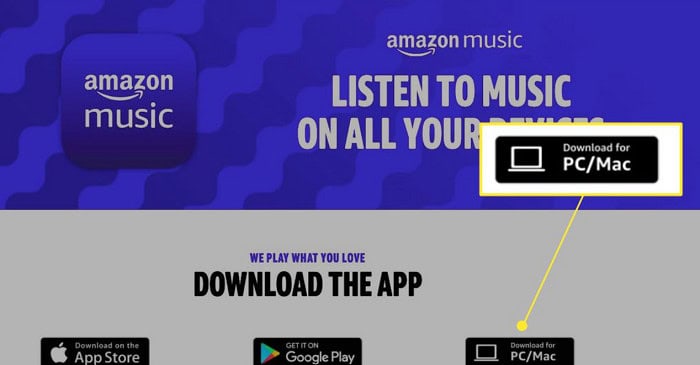
- Choosing “My Music.” Select “Albums” or “Songs.”
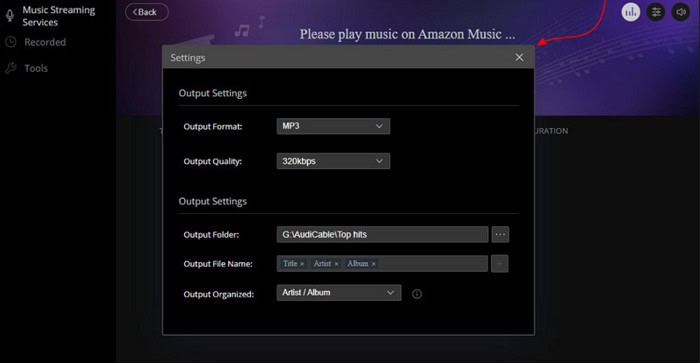
Find the music you want to keep listening to and acquire it to watch local channels. You can listen to these tracks or albums without a subscription once they have been saved.
Troubleshooting Common Issues
When there is the situation of Amazon music unlimited cancel, it’s critical to recognize and resolve typical problems. Users may experience the following specific problems, along with remedies for each of them:
- Accessing their account is difficult: Verify that you are signed in to the Amazon account connected to your Amazon Music membership.
- Uncertainty regarding payment cycles: To learn about your billing period and the timing of the cancellation procedure, check the specifics of your membership.
- Obsolete or incorrect payment details: To prevent billing and cancellation problems, update your payment details.
See Also: How To Cancel Spotify Premium On iPhone? | Cancel Under 5 Minutes
FAQs
How to cancel an Amazon music subscription?
By following the instructions in this piece, you can stop Amazon Music.Contact Amazon help desk if you need additional assistance.
What Takes Place If You Terminate Your Subscription?
You will no longer have access to the sizable music selection offered by Amazon Music Unlimited when your membership is canceled. You can still hear the tracks and albums you bought during your subscription time.
Why do I pay when I already have Prime for Amazon Music?
All Amazon Prime users have access to Amazon Music Free, which gives them access to a small collection of music with advertisements. An additional subscription is needed for Amazon Music Unlimited, which provides access to a sizable music collection without any ads.
What's the password for my Amazon Music account?
Using your Amazon account login information, you can enter your Amazon Music account via the Amazon Music app or website.
Why would a subscriber wish to discontinue getting their subscription?
A person might want to terminate their Amazon Audio Unlimited membership for several reasons, such as budgetary restraints, a desire to use another audio streaming service, or loss of interest.
Can I, at any point, stop receiving Amazon Music?
Yes, you can end your Amazon Music Unlimited membership whenever you want.
Is purchasing Amazon Music Unlimited worthwhile?
Amazon Music Unlimited is a good purchase if you are a frequent music listener and desire an ad-free environment. However, in the end, it comes down to your particular preferences and requirements for audio streaming.
How do I end my membership to Amazon Music?
Following this piece's instructions, you may terminate your Amazon Music membership. If you need more help, you can also call Amazon customer service.
Conclusion
The process for how to cancel an Amazon music subscription is simple and can be done in several ways. Select the approach that suits you best, and if Amazon Music isn’t working for you, consider your options before quitting. Additionally, you can prevent issues during the cancellation procedure by comprehending and resolving typical problems.
See Also: The 7 Best Music Player for Mac in 2024

Meet Carrie-Ann Skinner, our Apps & Games Editor with over 2 decades of experience in online and print journalism, specializing in all things tech.